New Beta Feature: Examination Results Lookup & Download documents
- 작성자
- admin
- 작성일
- 2026.10.01 16:39
- 수정일
- 2026.10.01 16:47
- 조회
- 40
Hello, this is VE Team Korea.
We are pleased to announce the addition of a new Examination Results Lookup feature as part of our latest service update.
The new feature is available through Examination > Exam Results (Beta) on our website.
We have received feedback from candidates who wanted an easier way to directly access their examination results and CSCE documents after completing an exam. In response, we have introduced the Examination Results Lookup service as a beta feature.
With this new feature, you can now check your examination results directly through the VE Team Korea website at any time, without having to contact our examination team separately.
Please note that the service is currently available only for examinations administered through VE Team Korea from September 2026 onward.
STEP 1. Enter Candidate Information
Enter your FRN and the PIN you received by email from exam.tools when you registered for your examination to locate your candidate record.
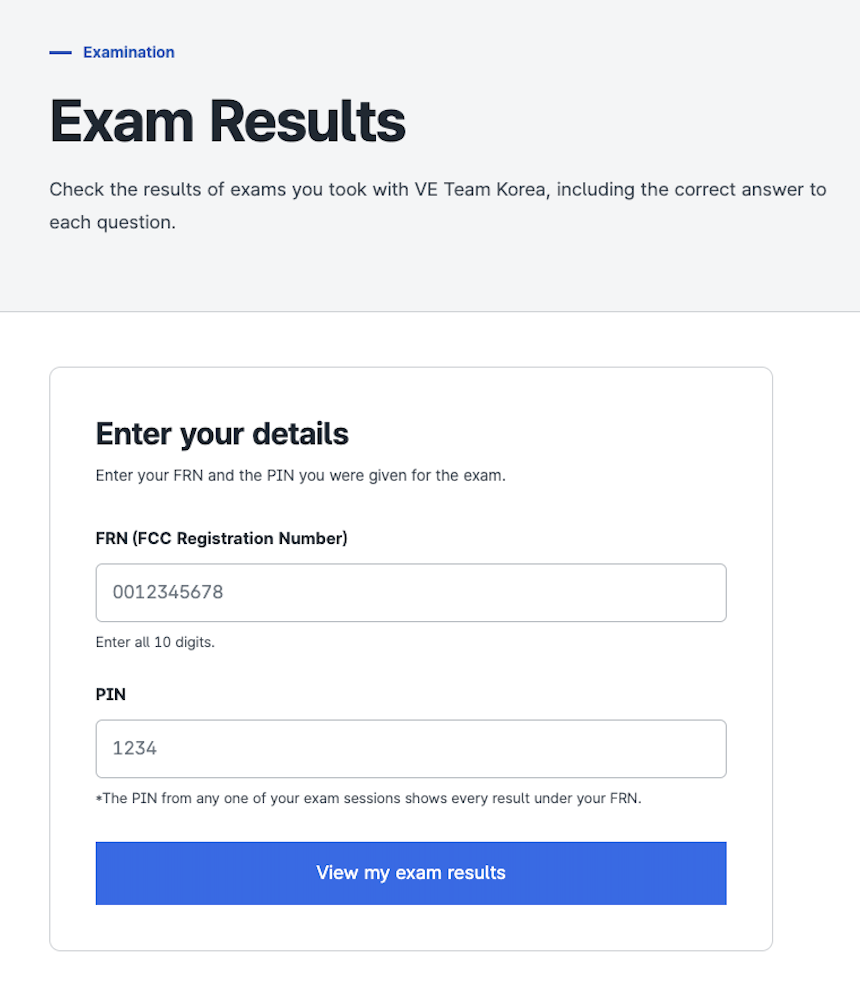
If you have taken two or more examinations, a different PIN is issued for each examination registration.
However, you only need to successfully verify one of your PINs to access the results of all examinations associated with the same FRN.
※ Important
Because the PIN consists of only four digits, safeguards are in place to prevent unauthorized access through repeated guessing attempts. If an incorrect PIN is entered too many times for the same FRN, access to that FRN may be temporarily restricted.
STEP 2. Email Verification
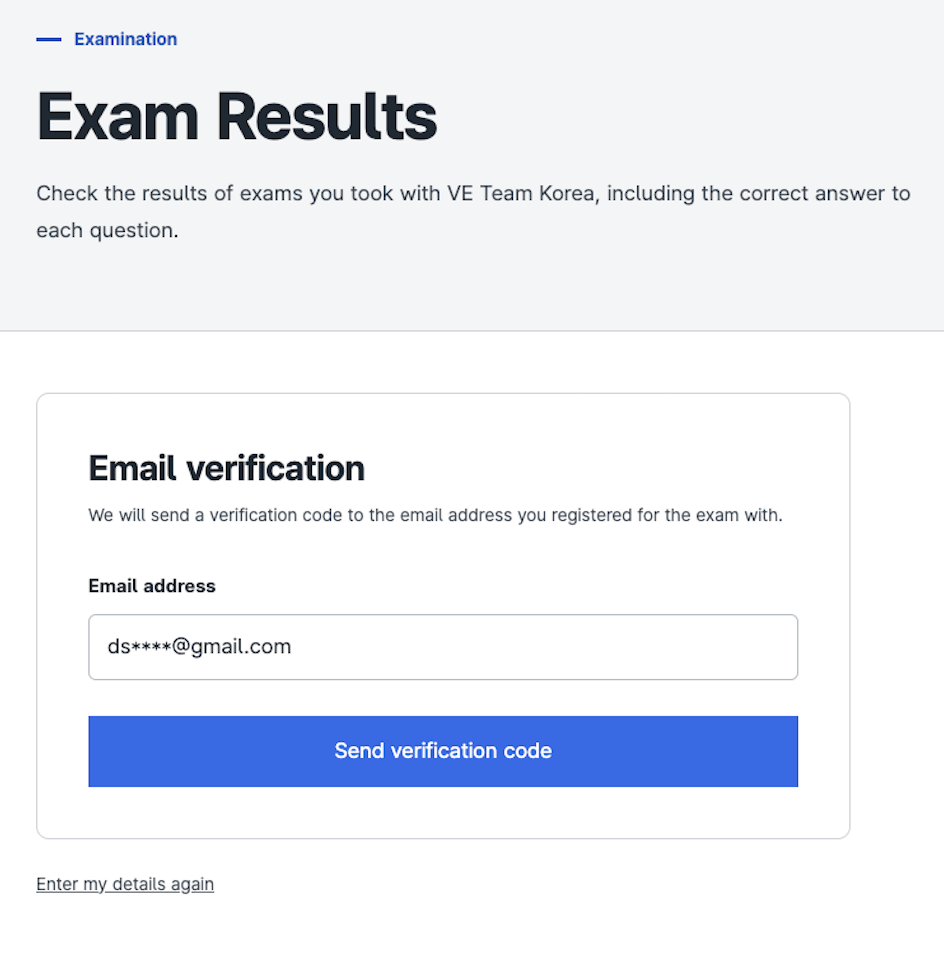
An 8-digit verification code will be sent to the email address you used when registering for the examination.
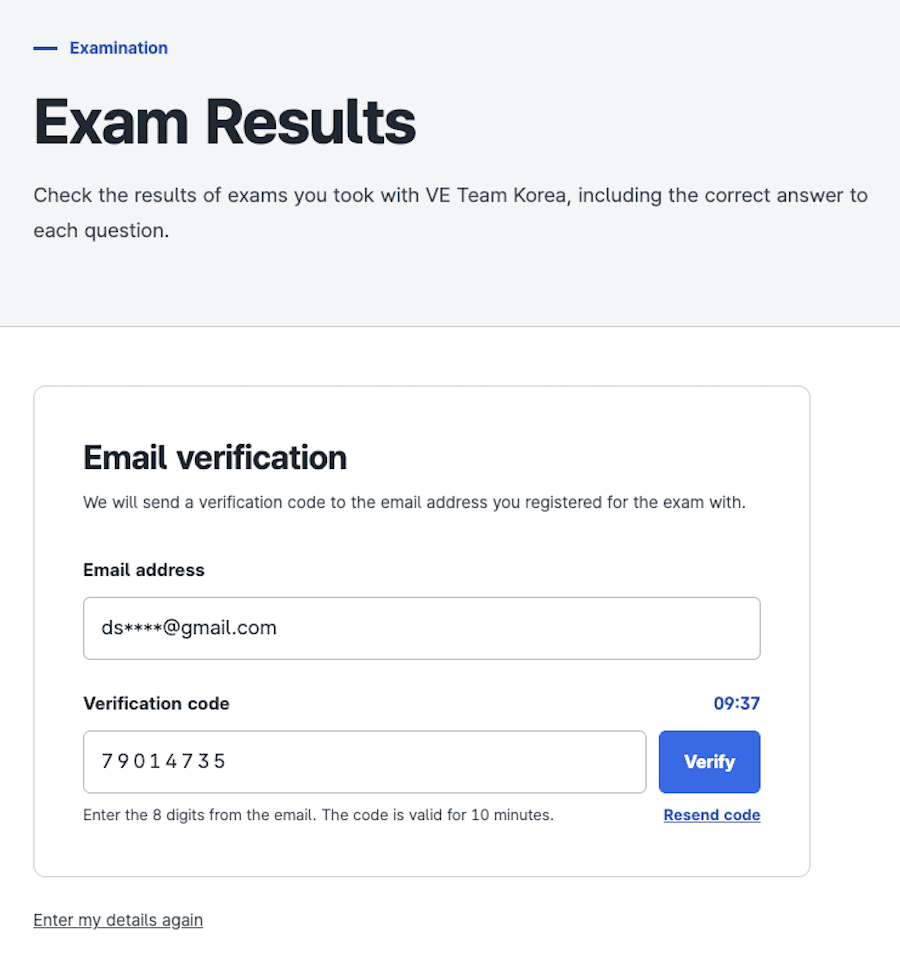
Enter the 8-digit verification code received by email to complete the verification process.
※ Important
For security purposes, the number of verification codes that can be requested within a certain period is limited.
In addition, if an incorrect verification code is entered too many times, that code will automatically become invalid.
Verification codes are valid for 10 minutes. If the code expires or cannot be used for any other reason, please request a new verification code.
STEP 3. View Examination Results
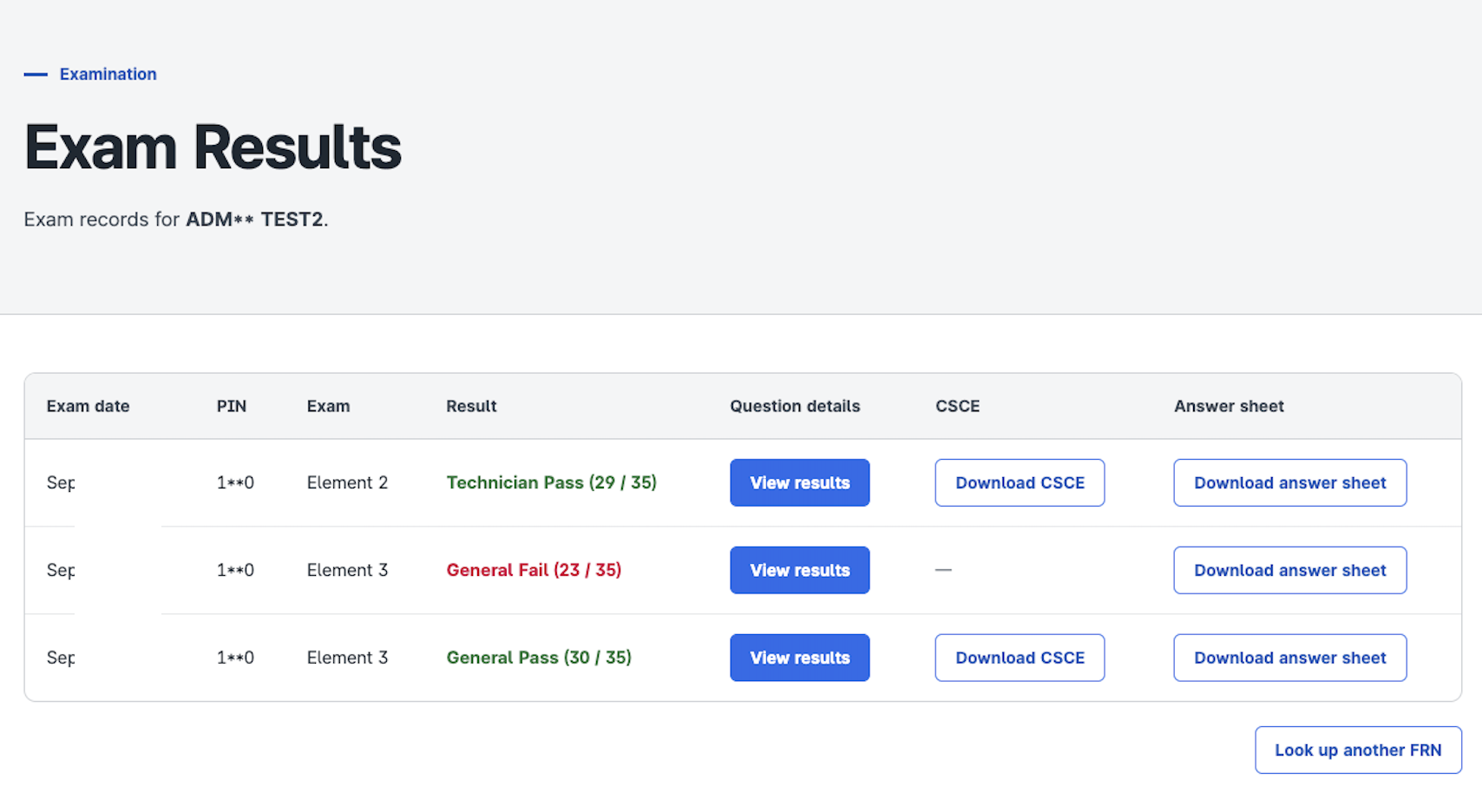
Once email verification is complete, you will be able to view the results of your examinations.
For passed examinations, a CSCE can be issued. For failed examinations, you may still view and download your examination results, but a CSCE will not be available.
Feature 1. Review Results by Question
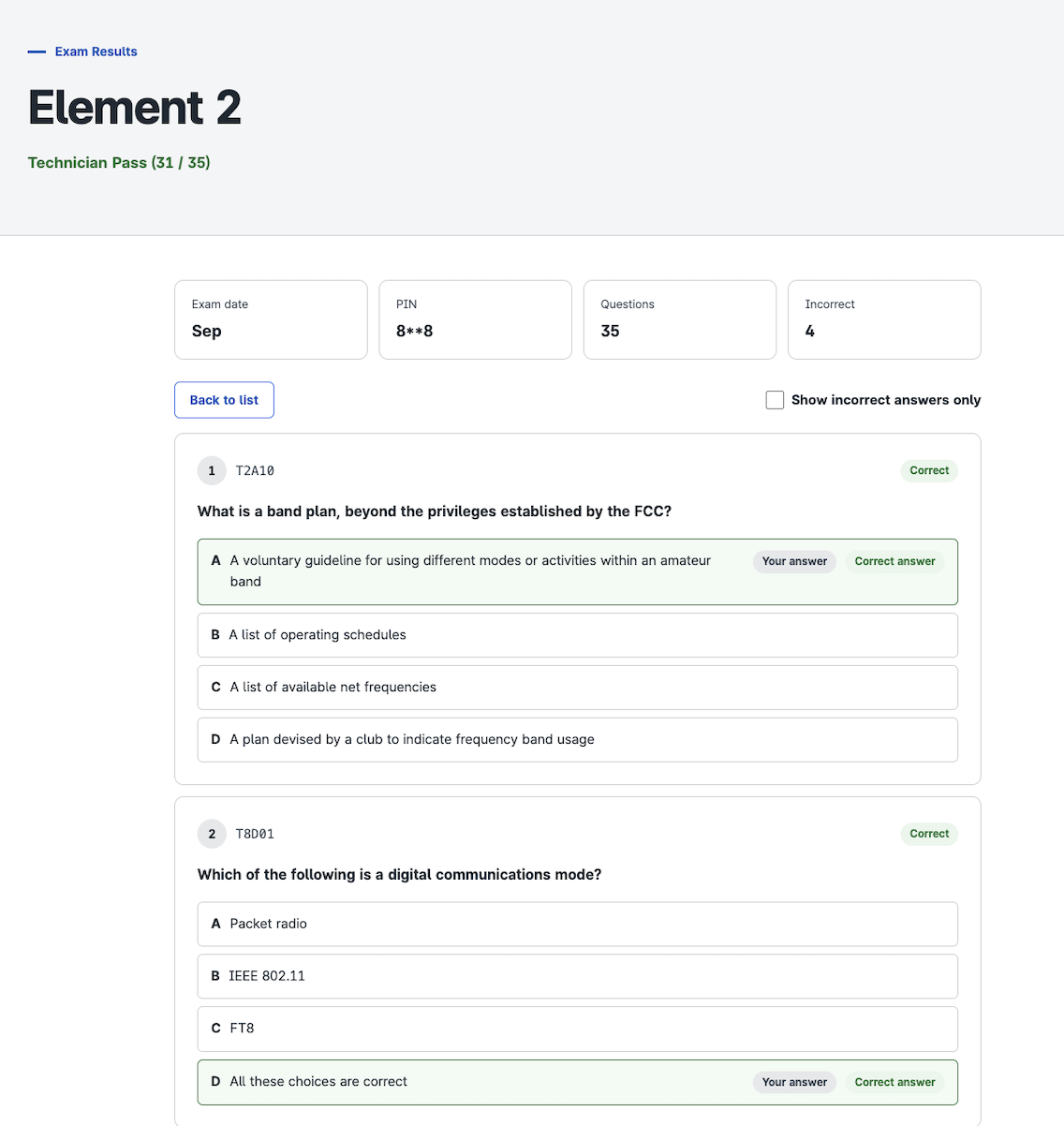
You can review the questions presented during your examination, the answer choices, the correct answers, and your responses on a question-by-question basis.
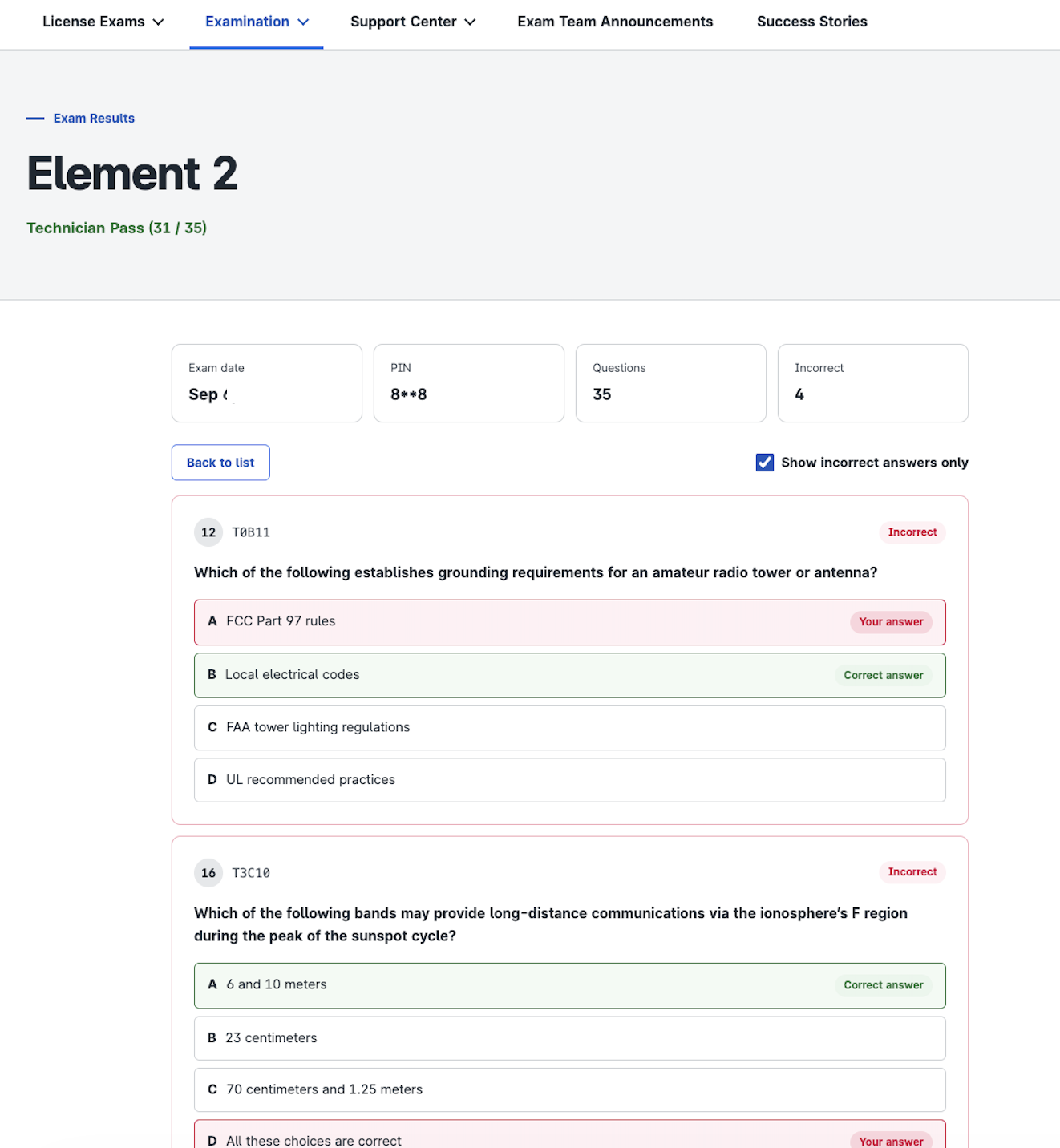
You can also select “Show Incorrect Answers Only” to display only the questions you answered incorrectly, making it easier to review areas that may need further study.
Feature 2. Download Your CSCE and Answer sheet
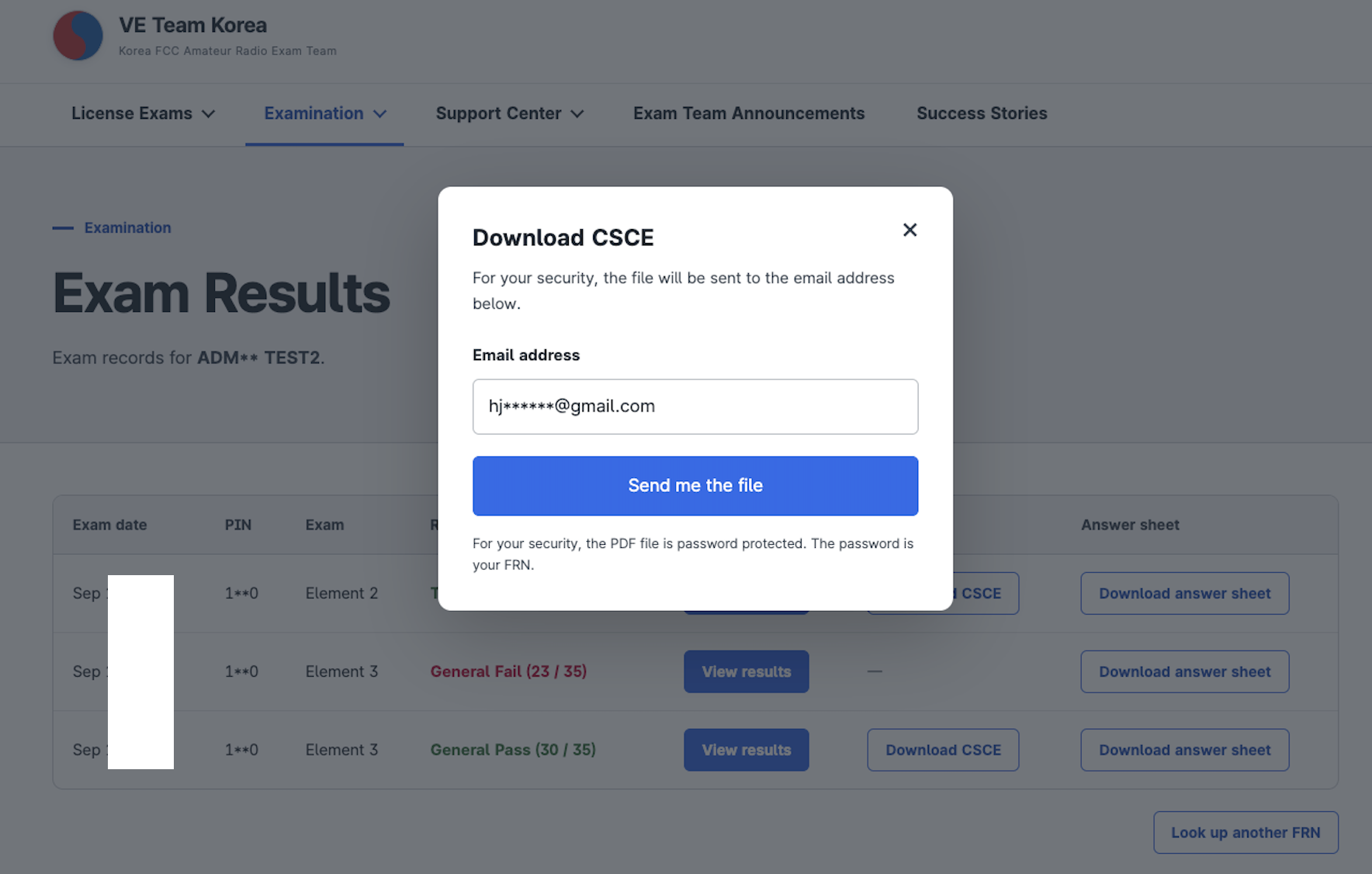
From the examination results page, select the Download CSCE button to have your CSCE PDF sent to the email address used when you registered for the examination.
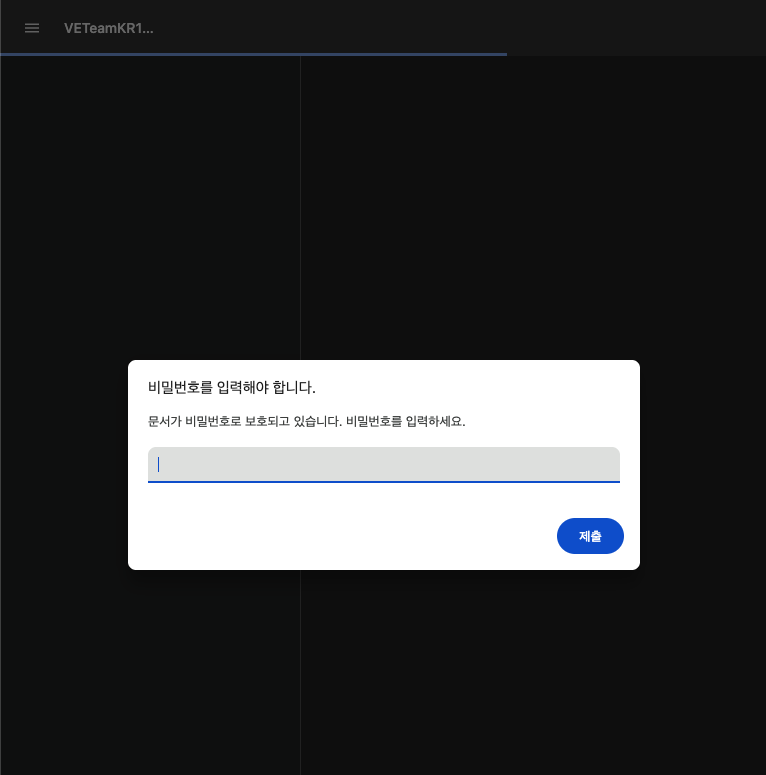
For security purposes, the PDF sent by email is password-protected. The password is your FRN.
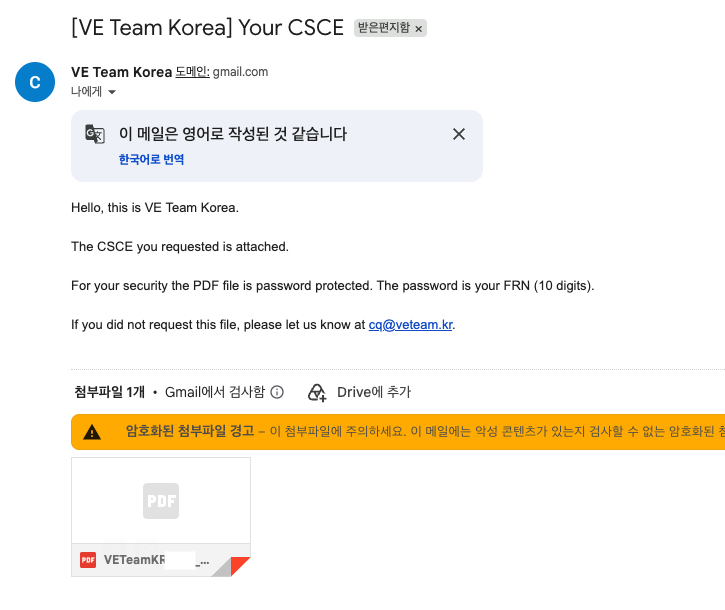

Examination-related PDF documents issued by VE Team Korea include a Document ID at the bottom of the document, along with instructions for verifying the authenticity of the document and a QR code linking directly to the document verification page.
This allows recipients to verify, when necessary, that the document was legitimately issued by VE Team Korea.
VE Team Korea will continue to improve our services and introduce additional features to provide candidates with a more convenient and reliable examination experience.
Thank you.
VE Team Korea